
AI WonderKit Physical AI Invention Kit | Scratch, Sensors, Motors & Generative AI
You build it. You talk to it. It lives. Bricks give it a body, Scratch gives it ideas, AI understands your voice, and motors and thermal printing deliver real output. One controller, endless creatures.
描述
You build it. You talk to it. It lives.
Give it a body with bricks, give it ideas with Scratch, then say one sentence — and it moves. No coding required to start; speaking is creating. What a child builds here isn’t a toy. It’s the first thing they’ve ever made feel alive.
What kids are really buying: the moment something they built comes alive
AI has just made “everything can have a spirit” programmable. In a child’s hands, that means three things.
A life that listens to you
This isn’t a toy that moves. You say one sentence, it understands, decides and acts — control from the very first second. No coding to begin; speaking is creating.
One controller, endless creatures
The controller carries multiple Type-C ports and a shape library: a race car today, a windmill, mechanical flowers or a printer tomorrow. When the duck gets boring, build a dragon. Creations keep growing — nothing gathers dust.
From playing with AI to building with AI
The people who can direct AI won’t be replaced by it. What a child practises here is “how do I make AI work for me” — turning a parent’s AI anxiety into a child’s AI confidence.
An idea comes alive in five steps
Real builds, not concept art
Everything below was built, driven and printed on this one controller.
Race car: from loose parts to actually running
Chassis, gearboxes, two racing motors, big tyres — build it, connect the controller, then let it go on the floor.
Windmill: one motor drives a tower of gears
Gears pass the motion down level by level. When it spins, mechanics stops being a diagram.
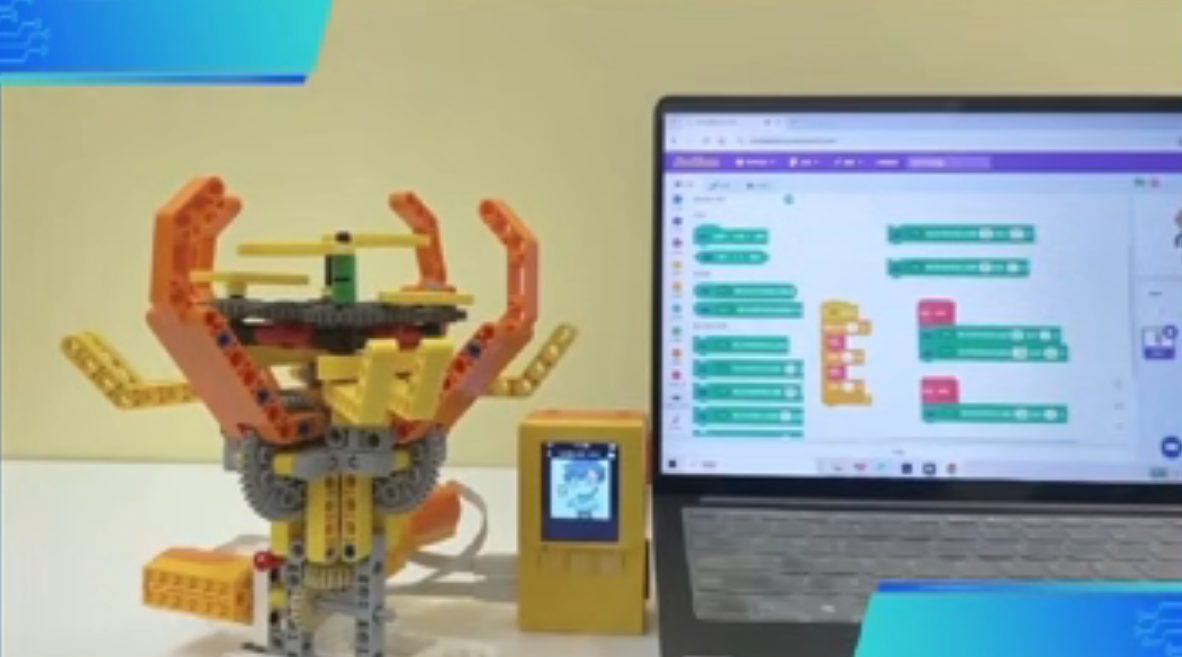
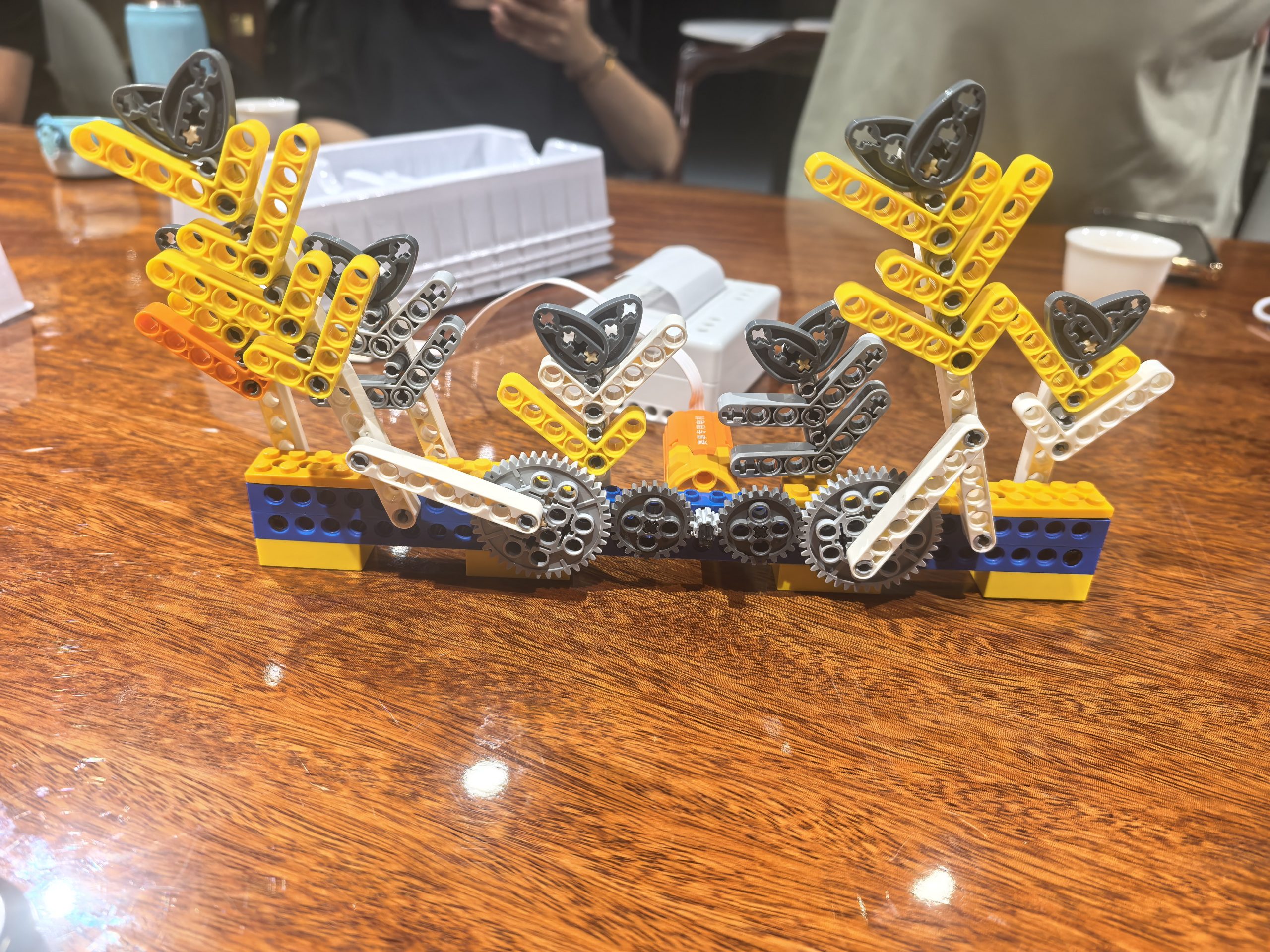
Mechanical flowers: a few Scratch blocks, and they bloom
Visual code drives real motors. Condition, command, action — visible and touchable.
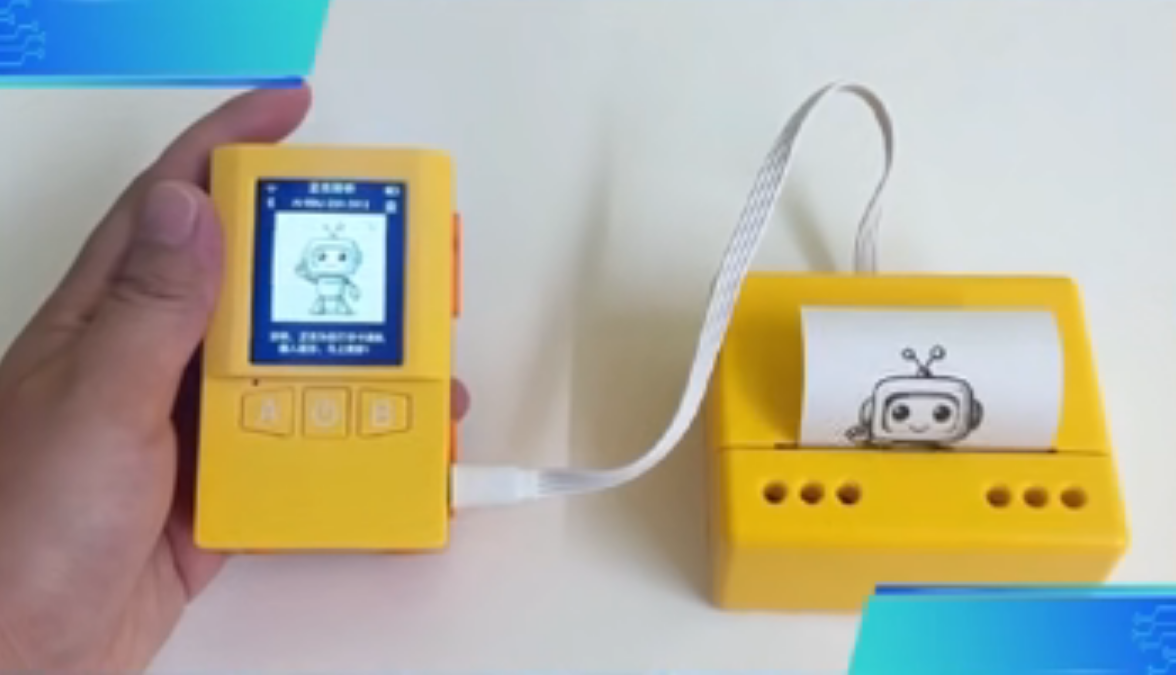
Printing: hold what was on the screen
Connect the thermal printer module and AI-generated content becomes a picture to take home.
What it looks like, and how it moves
How it connects: controller ports and full-device annotation
Many AI kits show pretty finished builds but never explain how anything actually connects. Here is the full port map of the AI WonderKit controller: M1–M6 on the left are motor / servo driver ports (M6 servo 4, M5 servo 3, M4 servo 2, M3 servo 1, M2 DC motor 2, M1 DC motor 1). S1–S6 on the right are expansion ports (S6 button / control switch, S5 LED matrix, S4 and S3 servo or ultrasonic module or UART sensor, S2 servo or DC motor or UART sensor, S1 printer or servo or DC motor or UART sensor). The top carries USB1 (camera / 4G), the LCD connector and the NFC antenna; the front panel has button A, the power switch, button B, and USB0 (charge / flashing).
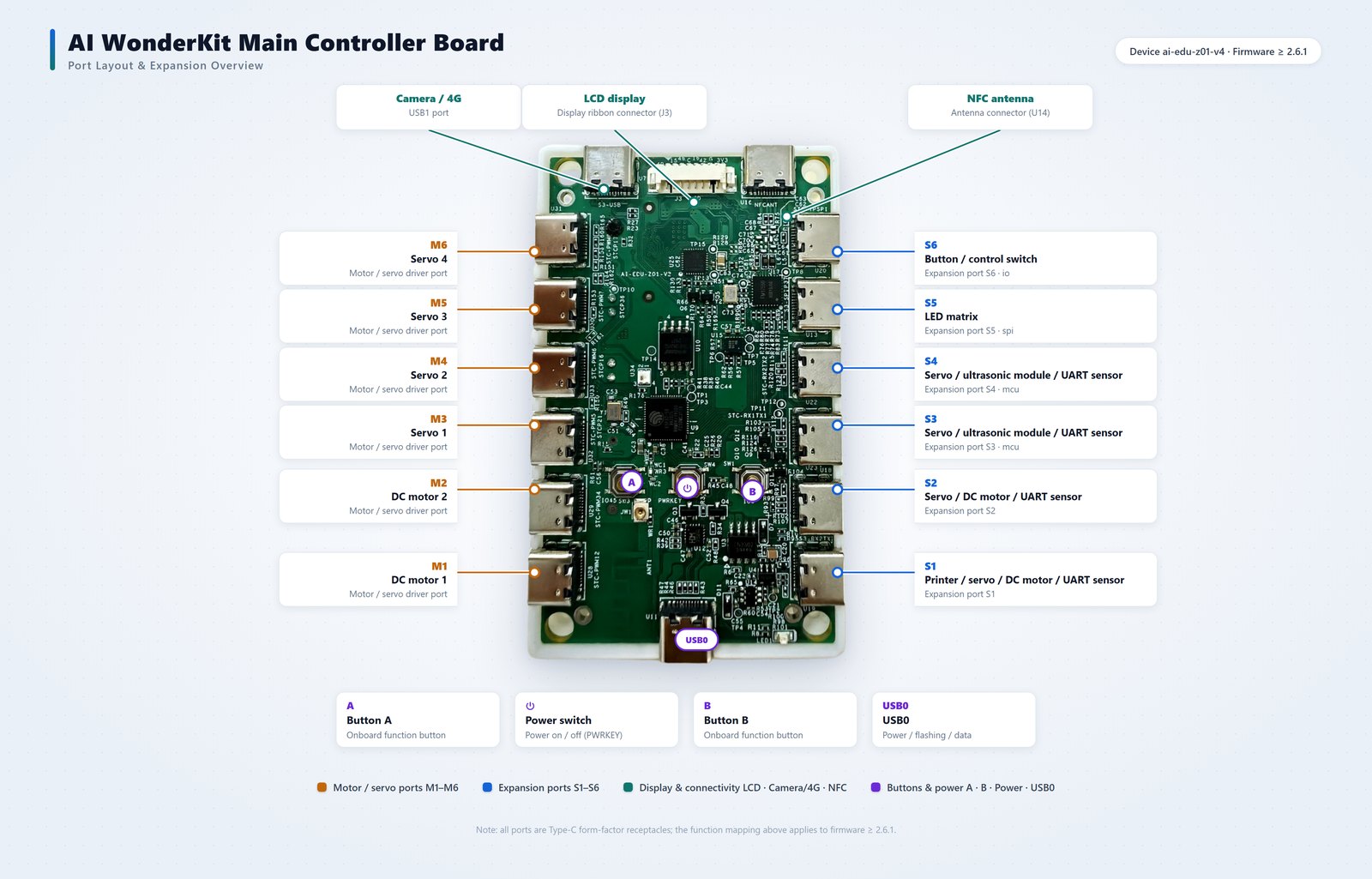
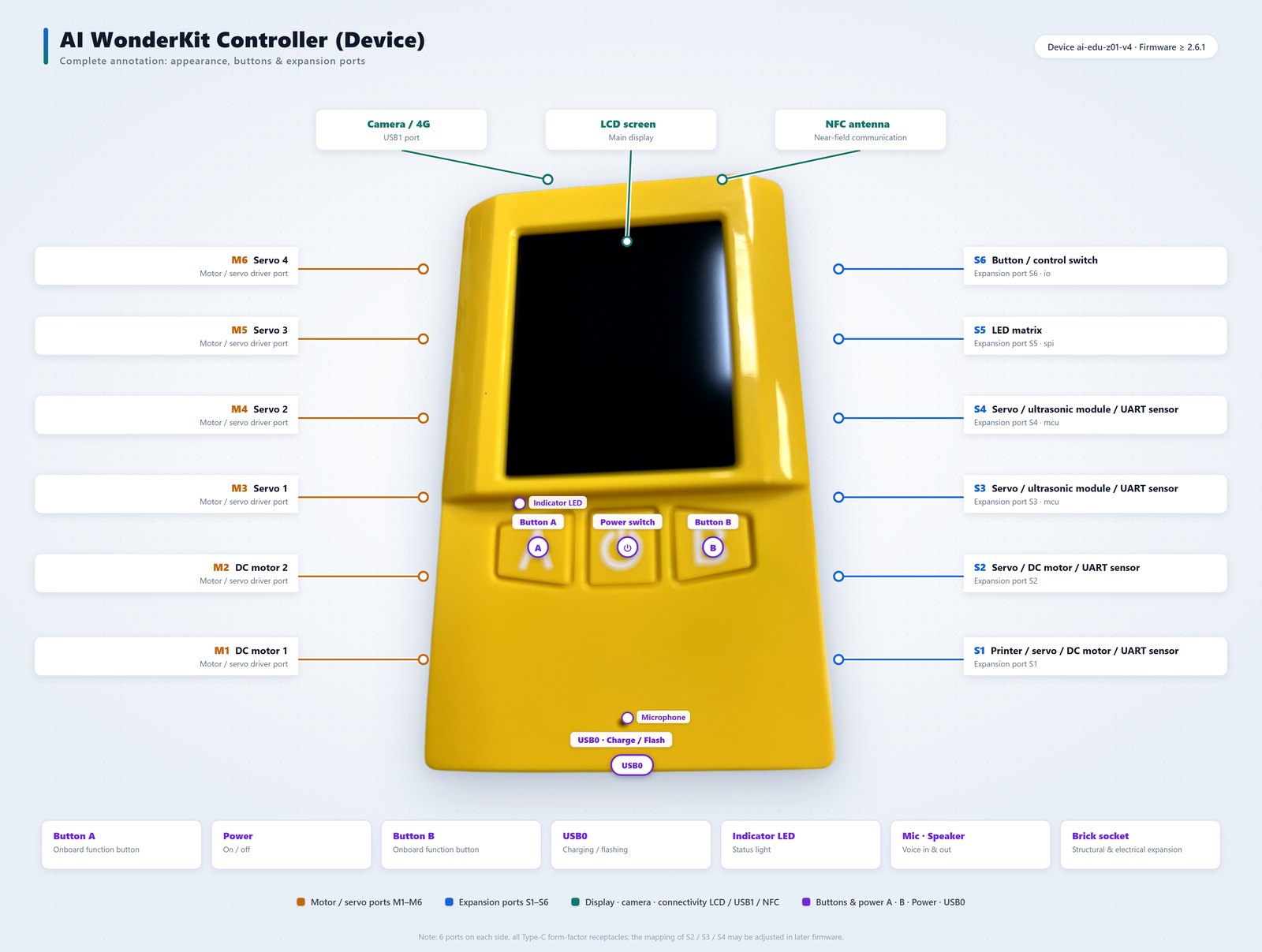
Note: twelve ports in total (six per side), all Type-C form-factor receptacles. The function mapping of S2 / S3 / S4 may change with future firmware releases; definitions above apply to firmware ≥ 2.6.1.
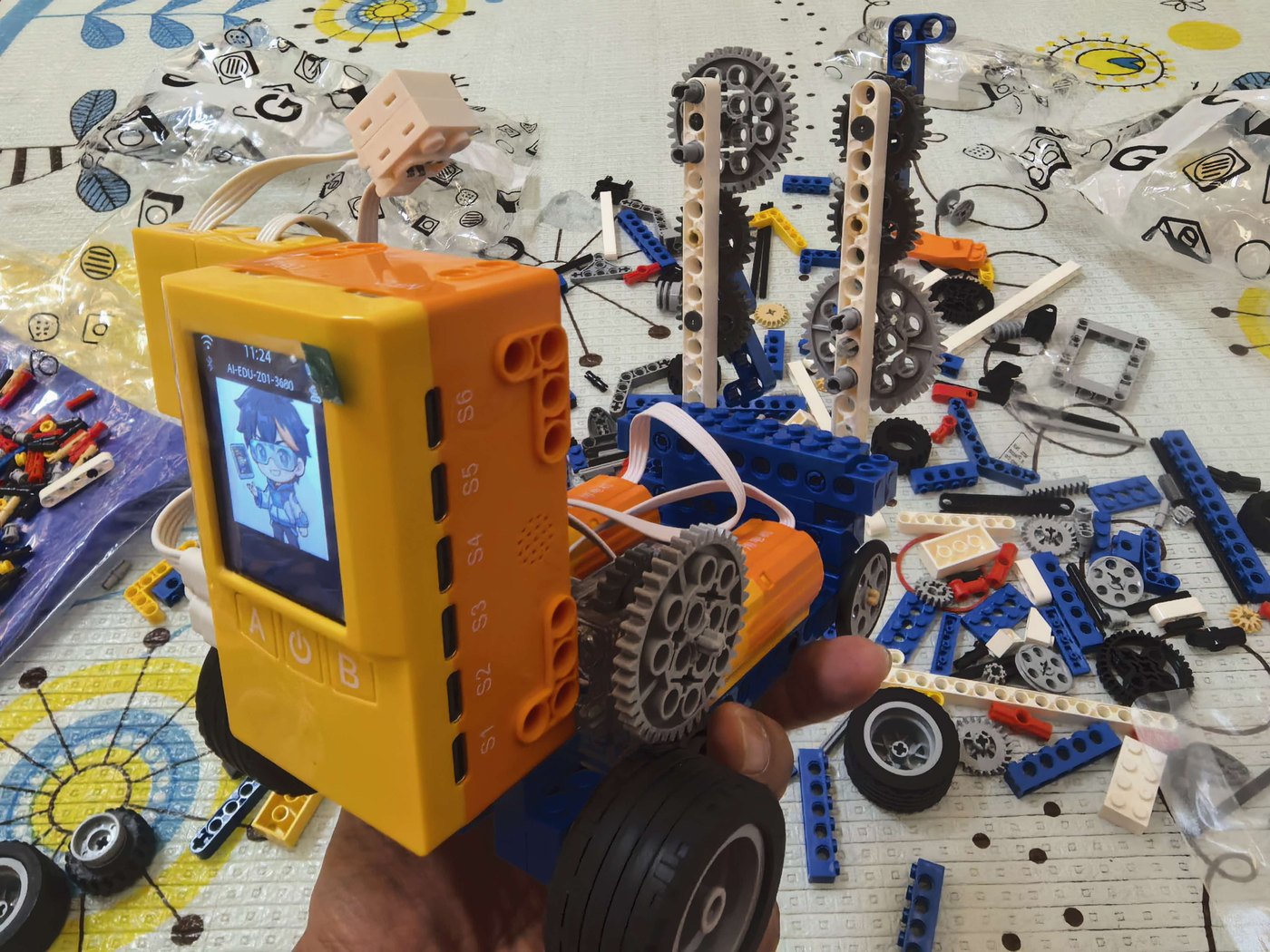
Controller + racing motors + gear drive: built, then driven
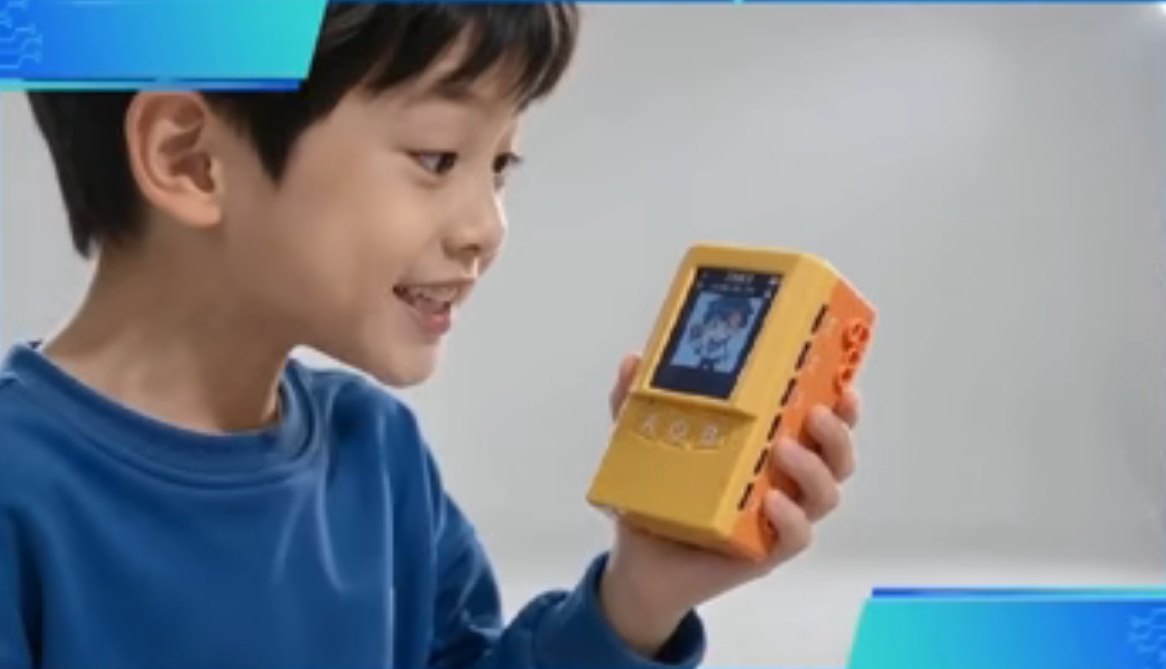
First words after power-on: what shall we build today?
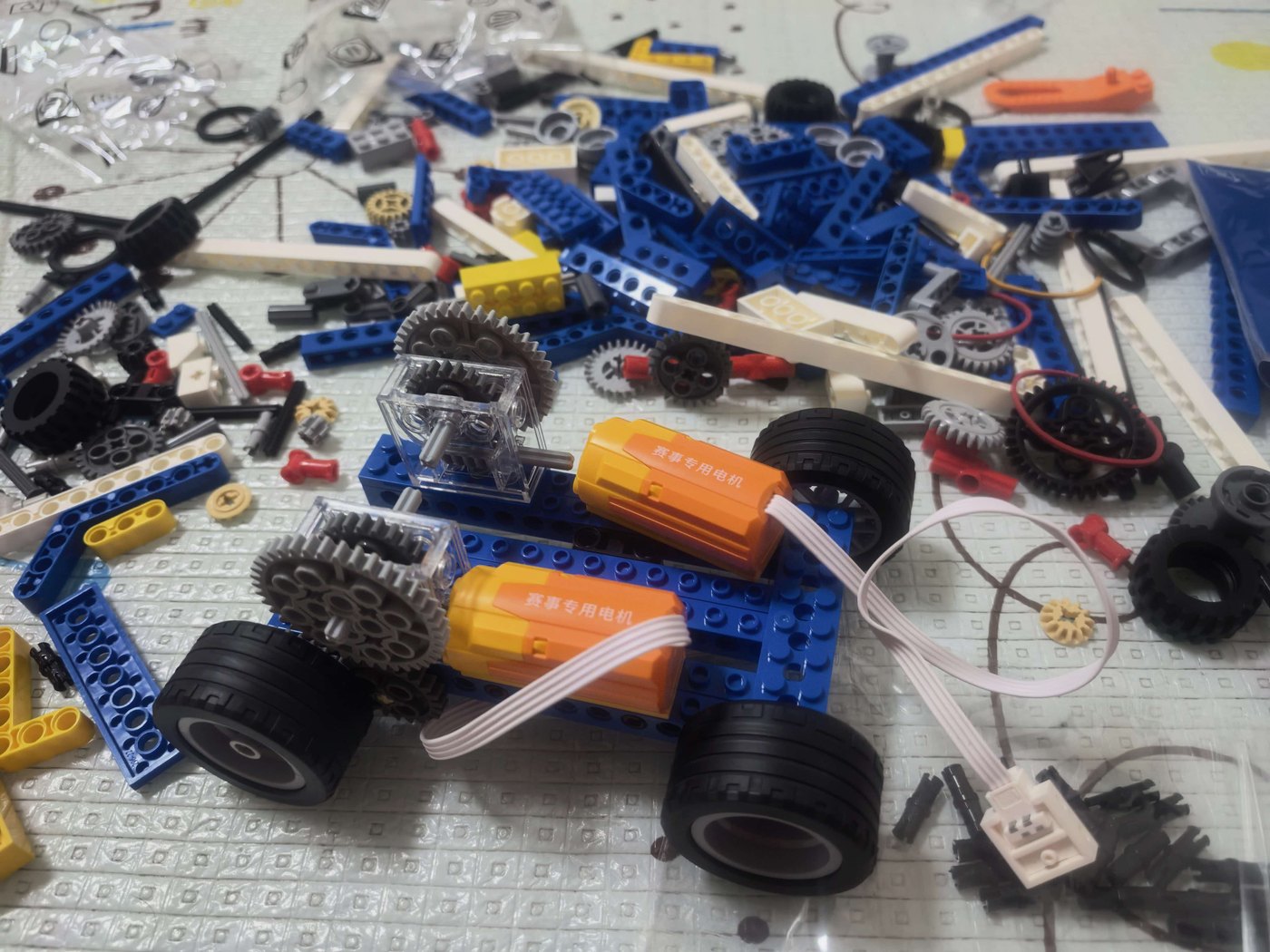
From loose parts to chassis: structure, transmission and power, all built by hand

Same controller, another shape — another creature
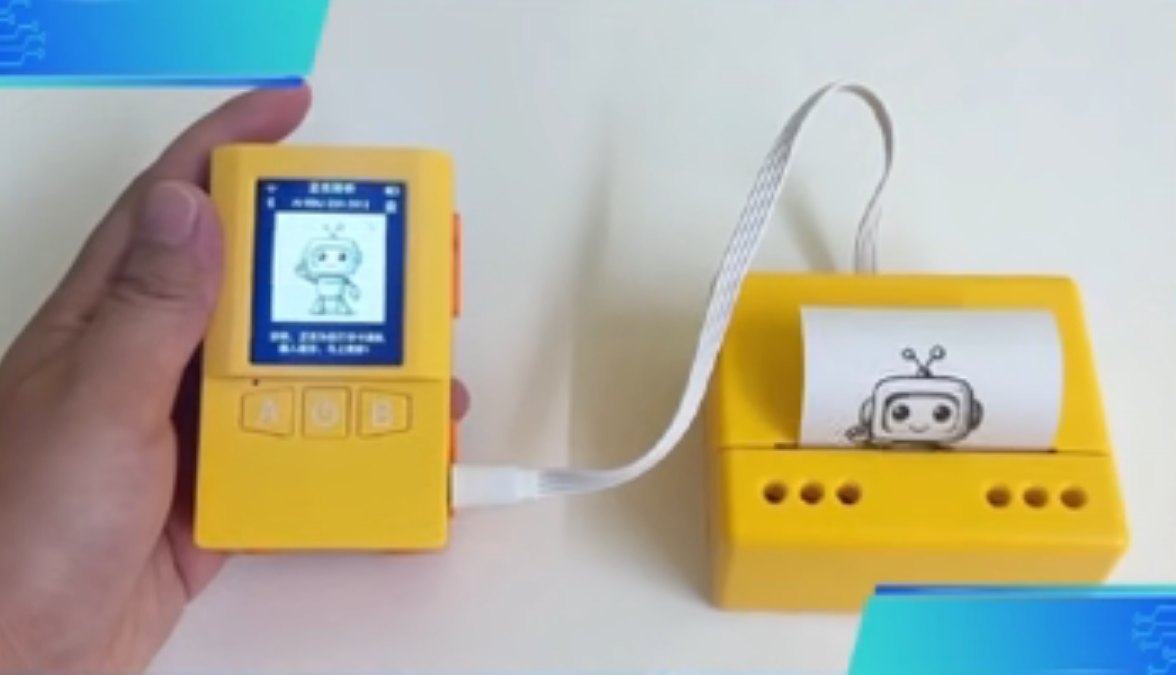
AI results don’t stop on the screen
Live demo: the finished race car takes off
Live demo: the controller prints through the printer module
Compared with older learning tools, the difference is the closed loop
| Capability | Classic bricks | Coding board | AI chat app | AI WonderKit |
|---|---|---|---|---|
| Physical structures | Yes | Limited / separate | No | Yes |
| Visual programming | Usually no | Partly | N/A | Scratch workflow |
| Voice + AI interaction | No | Usually needs extra dev | Yes, screen only | Wired into the build |
| Sensors and motion | Usually separate | Yes, fragmented setup | No | Type-C module ecosystem |
| Real-world output | Static model | Depends on setup | On-screen only | Motion, display or print |
Comparisons summarise common product categories; capabilities vary by brand and model. Modules and AI services for AI WonderKit depend on the version and project configuration.
Who it’s for
Families
Turn “loves chatting with AI” into building things. Parents don’t need to code — just build along.
Schools and institutions
AI literacy, IT classes, maker courses, cross-subject projects and showcases — one kit covers the full teaching loop.
Competition teams
A fast path from idea to structure to control to live demo — builds that impress judges.
Makers and product teams
Buildable structures plus expandable modules for quick validation of interaction, motion and output.
Four kit categories, one table
Bottom line: if what you want is a child who keeps coming back to it, the deciding factor is not part count but whether the build can answer back — something ordinary bricks, educational robots and LEGO-style STEAM sets were never designed to do.
| Dimension | Ordinary bricks | Educational robot kits | LEGO-style STEAM sets | AI WonderKit |
|---|---|---|---|---|
| What happens after the build | A shelf ornament following the manual; low repeat play | Level-driven; stalls when the campaign ends | Closed-loop curriculum, but paced by the textbook | The build responds to natural language |
| AI depth | None | Mostly discriminative AI: line following, vision tags | Visual programming; almost no generative AI | Generative AI native: talk, generate, bring it alive |
| Expandability | Cosmetic parts only | Strong: metal parts & open modules | Closed ecosystem, official expansion packs only | Own controller plus twelve Type-C ports for generic sensors |
| Teacher / parent dependency | No curriculum at all | Heavy; needs a trained teacher | Official teacher training required | AI co-pilot: first lesson possible with zero background |
| Price band (public reference, TBC) | ¥30–300 | ¥500–3,500 | ¥2,600–3,600 per set, roughly ¥1,300–1,800 per student | ¥1,500–3,500 institutional, ≤¥2,000 home retail |
| Best for | Gifting and hands-on play | Institutions with robotics teachers | Schools with multi-year curriculum budgets | Families and institutions chasing repeat-play rate |
Note: the comparison summarises publicly available product categories, their stated configurations and prices, for selection purposes only. Vencreat is neither affiliated with nor endorsed by any third-party brand listed; trademarks belong to their respective owners. Prices vary by channel and configuration.
Selection & compliance: four questions buyers ask
- Q:Can two students share one AI WonderKit set?
- We suggest two students per set for classroom use, with the controller and key peripherals built collaboratively. Final ratio depends on lesson length and class size.
- Q:Can a teacher with no coding background run this class?
- Yes. Lesson one pairs building with conversation: children speak to what they have just built. Coding starts with visual blocks and can move to text later, so the teacher does not need to learn ahead of the class.
- Q:Will children just ask the AI instead of thinking?
- Every generative AI teaching tool has to answer this. We put the AI in the role of responder: the child must describe the mechanism and state the intent before the AI answers. For primary school we also follow the 2025 generative AI guidance: open-ended generation should happen with a teacher or parent present.
- Q:Can it feed into recognised competitions?
- It can support preparation for publicly listed natural-science competitions such as the National Youth AI Innovation Challenge, the World Robot Conference youth robotics and information literacy contest, and Invention Convention China. Competition results carry no weight in school admission or university entrance, and we make no award or admission promises.
FAQ
- Do I need to learn coding first?
- No. It responds to voice right after power-on. When you’re ready, drag blocks in Scratch — visual coding needs zero background.
- How many builds can one controller support?
- The controller offers multiple Type-C ports and works with a shape library: race cars, windmills, mechanical flowers, printers and more can be rebuilt again and again. The module ecosystem keeps growing.
- How is it different from bricks or coding toys?
- Bricks stop at structure; coding boards stop at the screen. AI WonderKit connects voice, AI, structure, sensing, motion and output into one loop — you build it, you talk to it, it lives.
- What ages is it for?
- Ages 6+ for voice interaction and assisted building; Scratch suits upper-primary to junior-high; maker and competition use has no age limit.
- Does the AI need the internet?
- Voice recognition and generative AI interaction need a connection; building, coding and motor control run offline. AI service details depend on the chosen version.
- Can we white-label or customise courses?
- Yes. Schools and institutions can customise curriculum, appearance and box contents — final terms per quotation.
Kit contents and expansion
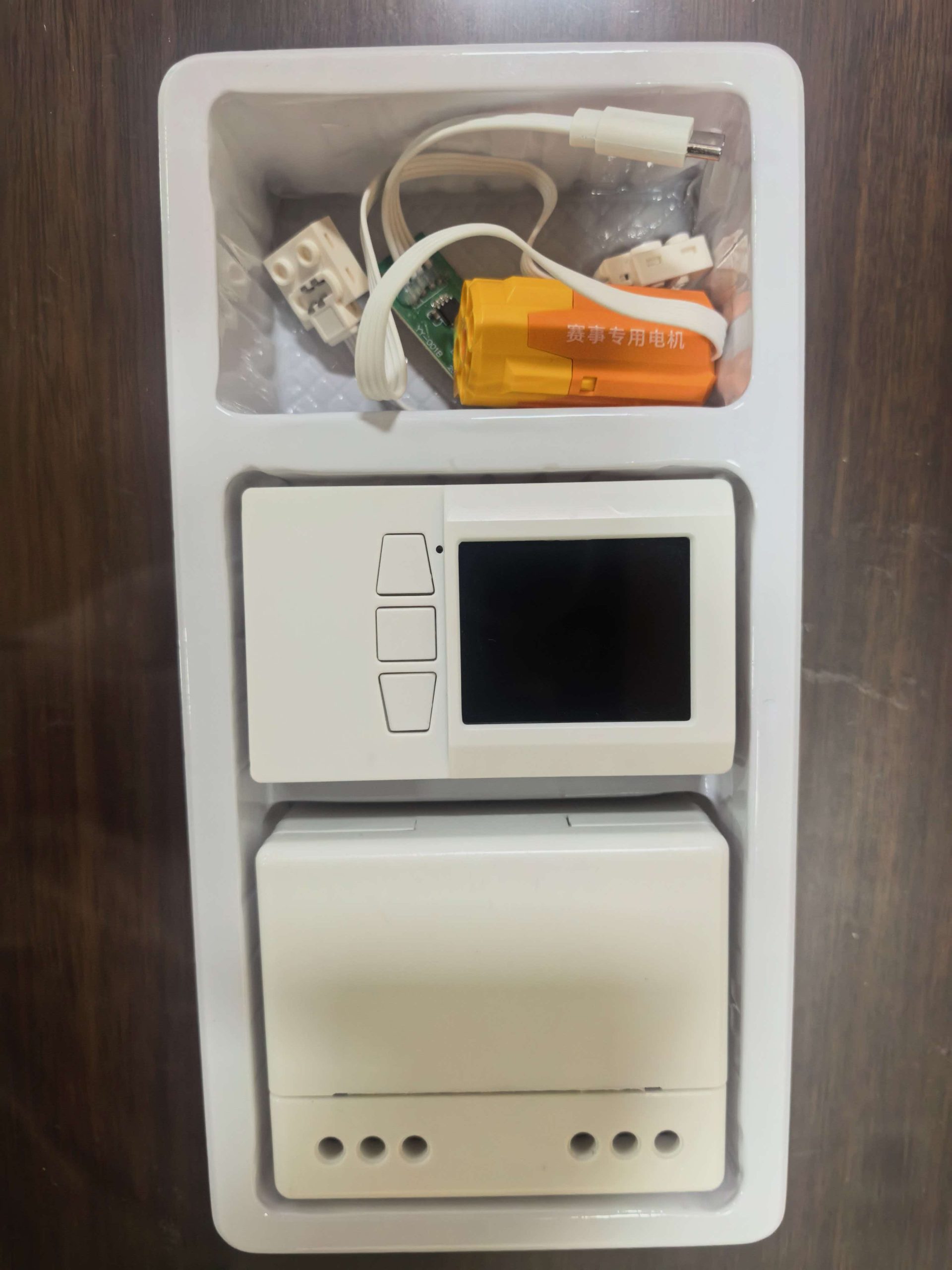
Base configuration may include: the AI WonderKit controller, basic motion modules, cables and adapters; the physical assets shown here also include a thermal printer module plus race car and windmill builds.
Expandable by version or project: brick structures, additional motors, servos, physical sensors, vision modules, printing consumables, curriculum and LLM services.
Final box contents, port mapping, recommended ages, course counts, AI service method and compatibility are subject to the official quotation and delivery version.
First words after power-on: what shall we build today?
Tell us whether this is for home learning, classroom teaching, competition training or product validation, and we’ll recommend the right kit and course configuration.
评价
目前还没有评价